Artwork guidelines
How to prepare artwork that prints sharp
A few minutes preparing your file properly makes a real difference to the finished print. Here's everything we check when your artwork arrives.
File types
We accept these file types, up to 20 MB
Vector files give the sharpest result at any size. Raster files (photos, PNG, JPG) work too, provided they're high resolution.
| File type | Vector or raster | Notes |
|---|---|---|
| SVG | Vector | Scales to any size with no quality loss. Ideal for logos and text. |
| AI | Vector | Adobe Illustrator native format. The best option if your designer has it. |
| EPS | Vector | An older vector format, still widely used for print-ready logos. |
| Vector | Fine for vector or high-resolution raster artwork exported at print size. | |
| PNG | Raster | Supports transparency. Send the largest version you have. |
| JPG | Raster | No transparency. Fine for photos; less ideal for logos with flat colour. |
Resolution: 300 dpi at print size
For PNG or JPG artwork, aim for 300 dots per inch at the actual size it will print. For a 30 cm wide chest print, that's roughly 3,500 pixels across. Images saved from websites or social media are usually far too small and will print soft or blurry, so send the original file where you can.
Matching Pantone (PMS) colours
If your brand colours matter, send us the Pantone (PMS) reference from your brand guide. Screens display colour differently to fabric, so we'll tell you how closely each print method can match, and flag any risk before you approve the proof.
Bleed and safe area
Leave room around your design
Bleed and a safe margin protect your design from trimming and seam placement.
Bleed
If your design runs to the edge of a cut piece (like a tote bag panel), extend the artwork a few millimetres past the edge so a slight shift in cutting or pressing never leaves a white sliver.
Safe area
Keep text and important logo details inside a safe margin, away from garment edges, seams and folds, so nothing is cropped or obscured.
Vector vs raster
Which should you send?
Vector (SVG, AI, EPS)
- Scales to any size with no loss of quality
- Best for logos, text and simple graphics
- Required for large screen-printing setups
Raster (PNG, JPG)
- Right for photos and detailed, full-colour artwork
- Fine for DTG and DTF at 300 dpi print size
- Send the largest, original file you have
Avoid these
Common artwork mistakes
Using a logo pulled from a website
Web images are usually 72 dpi and far too small to print sharp. Ask your designer for the original file.
Sending a screenshot
Screenshots compress and resize your artwork, which softens edges and can shift colours.
No bleed or safe margin
Designs that run right to the edge with no bleed risk a thin white sliver after trimming.
Text too close to the edge
Keep text and logos inside the safe area so nothing is cut off or lost in a seam.
Assuming screen colours will match exactly
RGB (screen) and CMYK/Pantone (print) don't always match. Send Pantone references for anything colour-critical.
Downloads
Print area guide templates
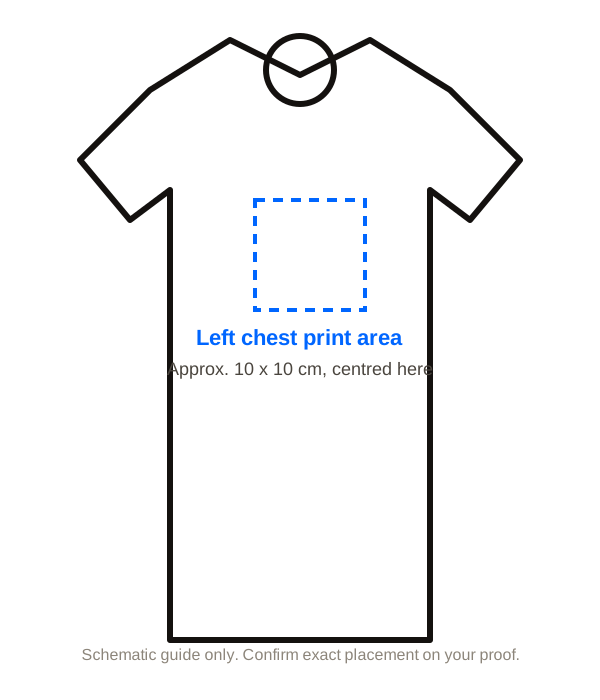
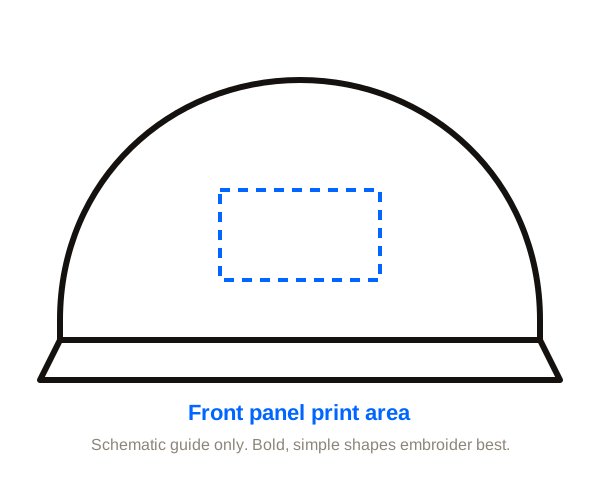
Simple guides showing where your design can go and roughly how big it can be. Schematic, not to exact scale.
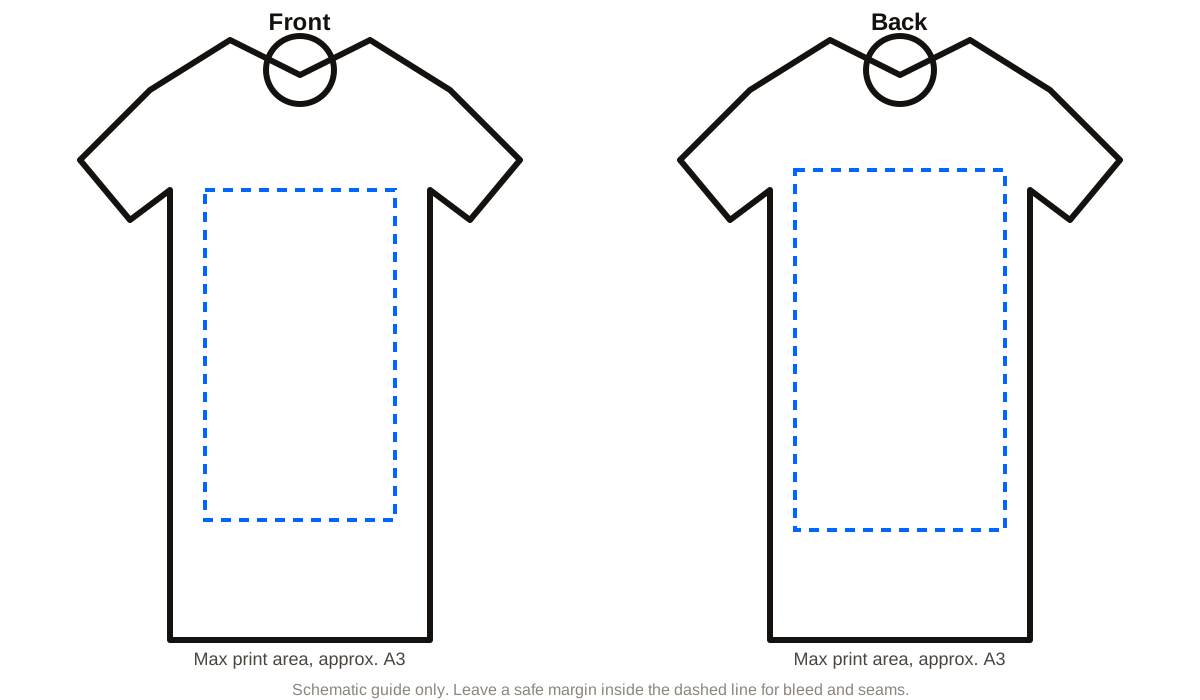
Front and back print area guide
Maximum print size and safe margin for a full front or back print, roughly A3.
Download SVG
Questions
Artwork FAQs
PNG, JPG, SVG, PDF, AI or EPS, up to 20 MB. Vector files (SVG, AI, EPS or PDF) give the sharpest result because they scale without losing quality.
For PNG or JPG, aim for 300 dpi at the size it will print. For a 30 cm wide chest print, that's roughly 3,500 pixels across. Images saved from websites or social media are usually too small and print soft, so send the original file if you can.
Yes. Choose "I need design help" on the quote form and tell us your idea. Our design team can create or tidy up your artwork. The first 15 minutes are free; after that it's from $50.
Send us the Pantone (PMS) references from your brand guide and we'll tell you how closely each print method can match them. Colour on fabric never looks exactly like a screen, so we'll flag any risks on the proof.
Ready to send your artwork?
Upload your artwork, tell us what you need, and we'll send a free digital proof and a firm price.